|
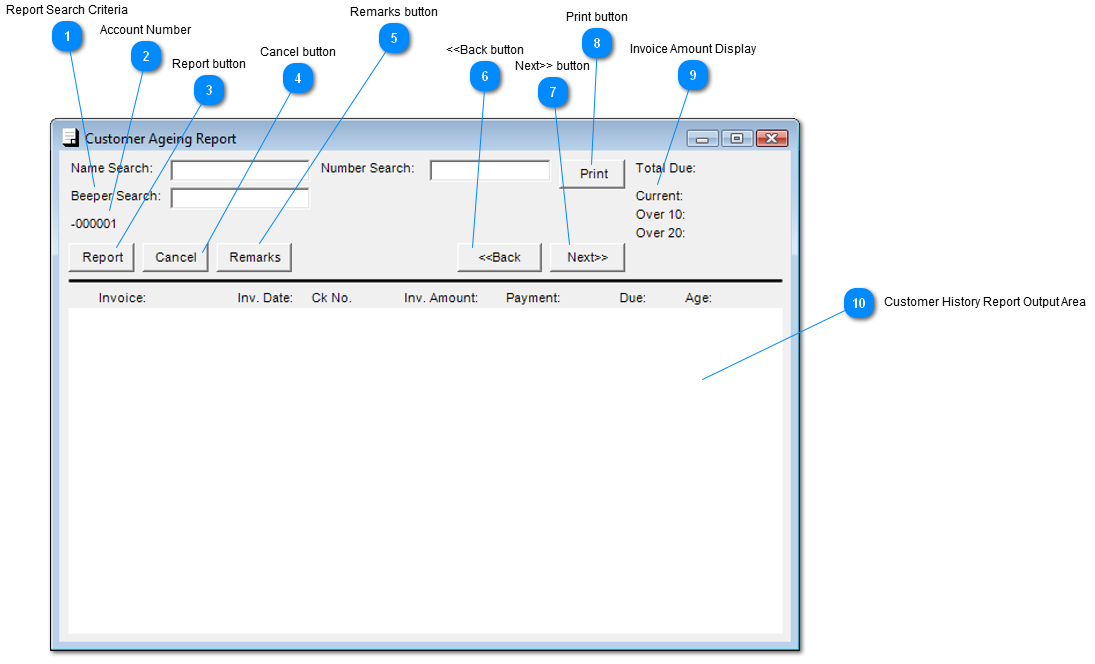
 Report Search Criteria
| |
 Account Number
Customer Account number is displayed here.
| |
 Report button
Click "Report" to create the report.
| |
 Cancel button
Click on "Cancel" to exit screen.
| |
 Remarks button
Click on "Remarks" button and post comments / remarks on customer.
| |
 <<Back button
Click on "Back" button to go previous customer.
| |
 Next>> button
Click on "Next" button to go next customer.
| |
 Print button
Click on "Print" to create a hardcopy of report.
| |
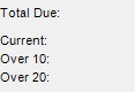
 Invoice Amount Display
Total Due:
Current: -
Over 10: -
Over 20: -
| |
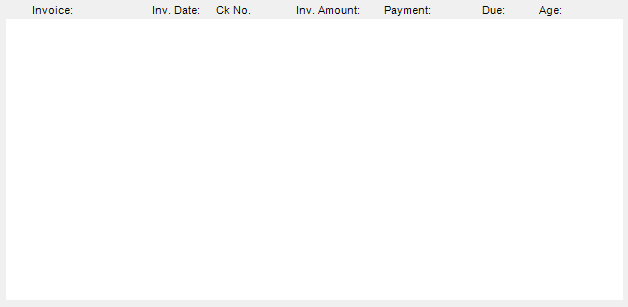
 Customer History Report Output Area
Output of Customer History report
|
Invoice
|
Invoice Number
|
|
Inv. date
|
Invoice Date
|
|
Ck No.
|
Check Number
|
|
Inv. Amount
|
Invoice Amount
|
|
Payment
|
Amount of Payment
|
|
Due
|
Amount Due
|
|
Age
|
Account Receivable Aging Days
|
| |
|
|