|
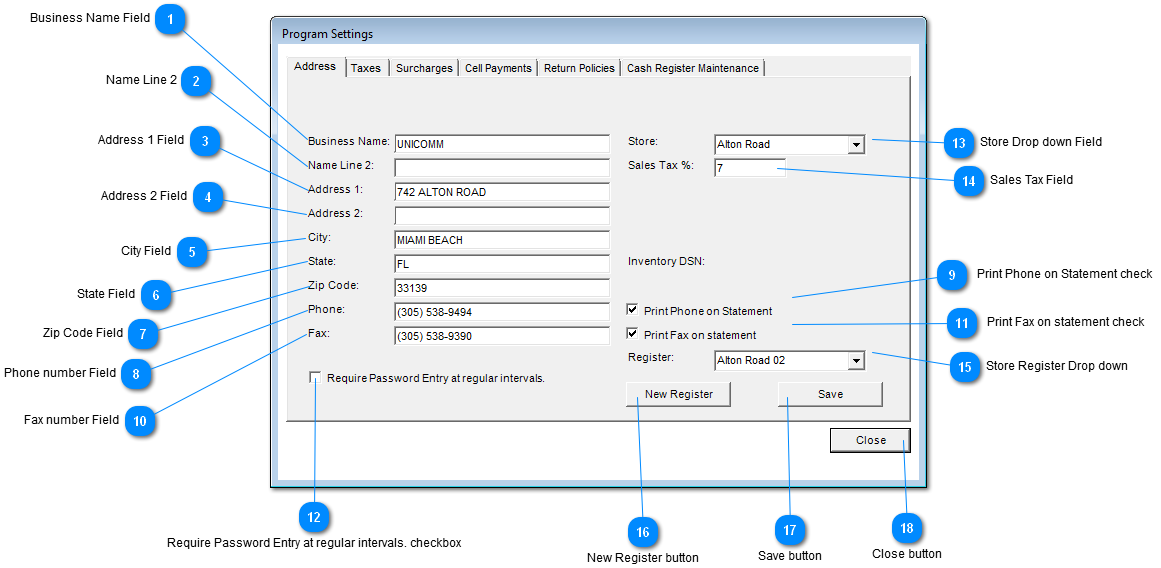
 Business Name Field
Company Name is entered here.
| |
 Name Line 2
Second Company name is entered here.
Example: "Name Line 2" Company could be a subsidiary of "Business Name" Company.
| |
 Address 1 Field
Enter Company address here.
| |
 Address 2 Field
Enter continuation of "Address 1" field if needed.
| |
 City Field
Enter Address City here.
| |
 State Field
Enter Address State here.
| |
 Zip Code Field
Enter Address Zip Code here.
| |
 Phone number Field
Enter Company Phone number here.
| |
 Print Phone on Statement check
Check checkbox if phone number is to appear on statements.
| |
 Fax number Field
Enter Company Fax number here.
| |
 Print Fax on statement check
Check check if Fax number is to appear on statements.
| |
 Require Password Entry at regular intervals. checkbox
Check checkbox if timeout of User required. Timeout will occur if there has not been any user interaction for 3 minutes.
| |
 Store Drop down Field
List all Company stores. Select the store where the application is being run.
| |
 Sales Tax Field
Enter Sales tax here.
| |
 Store Register Drop down
List all registers of Store selected. Select the register where the application is running.
| |
 New Register button
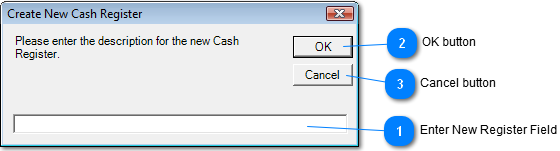
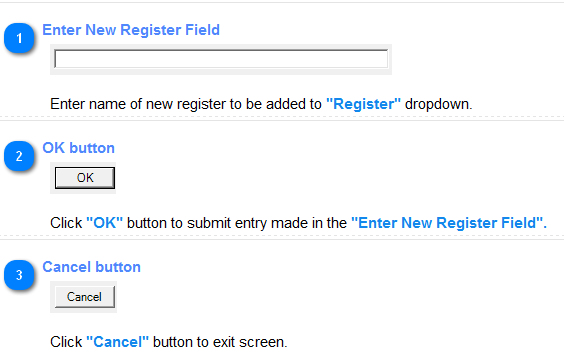
Click "New Register" to add new register to store.
| |
 Save button
Click "Save" to Save / Update any changes made to this screen.
| |
 Close button
Click "Close" button to exit screen.
| |
|
|