|
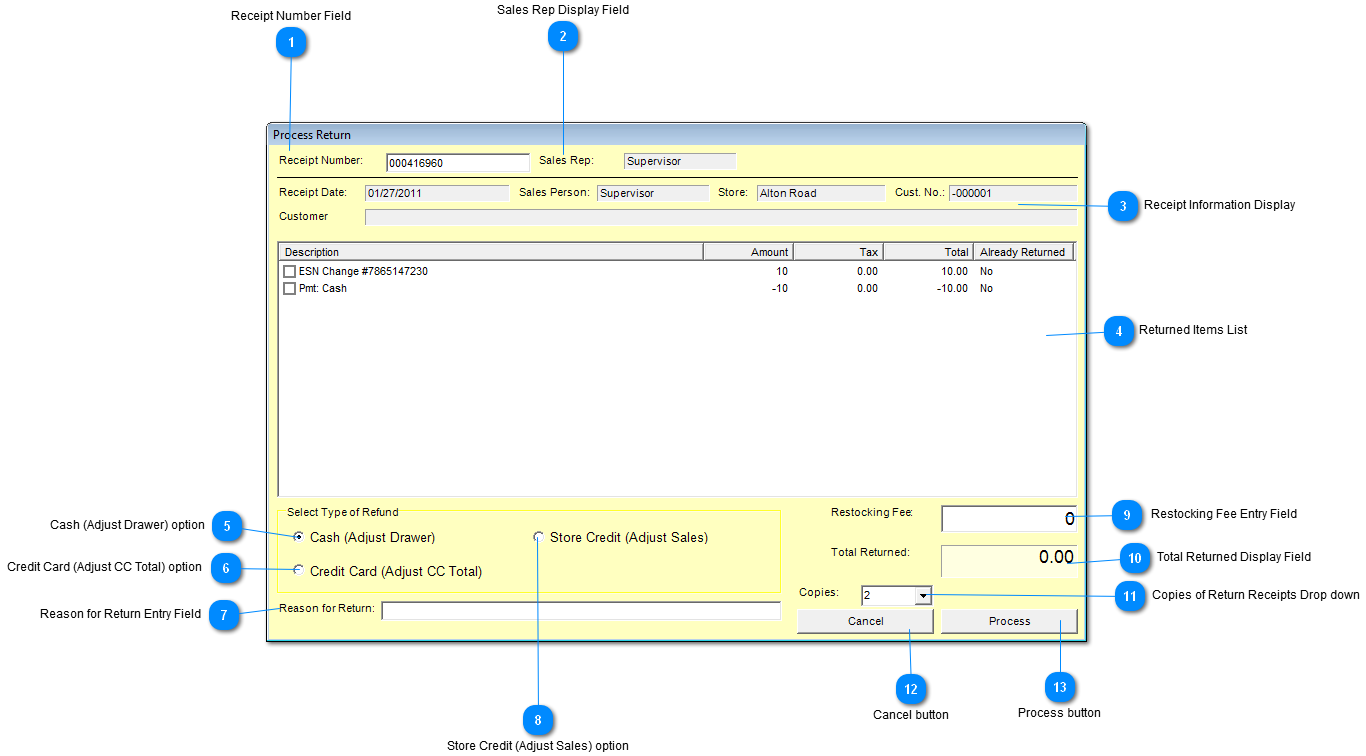
 Receipt Number Field
Enter receipt number here and hit <Enter>.
| |
 Sales Rep Display Field
Sales Representative user name which issuing the return is displayed here.
| |
 Receipt Information Display
|
Receipt Date
|
Date of issued receipt
|
|
Sales Person
|
Sales person user name which sold the item(s)
|
|
Store
|
Store where receipt was issued.
|
|
Cust. No
|
Customer Account number
|
|
Customer
|
Customer name
|
| |
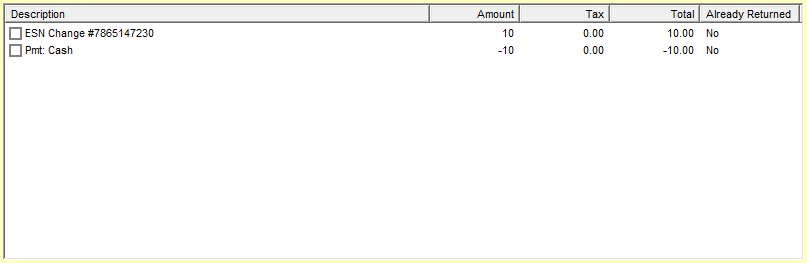
 Returned Items List
Display a list all items sold on the issued receipts.
Check item(s) to be returned.
| |
 Cash (Adjust Drawer) option
Click "Cash (Adjust Drawer)" radio button to return cash from the register drawer.
| |
 Credit Card (Adjust CC Total) option
Click "Credit Card (Adjust CC Total)" radio button to credit the Credit Card.
| |
 Reason for Return Entry Field
Enter the reason for return item(s).
| |
 Store Credit (Adjust Sales) option
Click "Store Credit (Adjust Sales)" radio button to issue a store credit.
| |
 Restocking Fee Entry Field
If a restocking fee is associated with return make entry here.
| |
 Total Returned Display Field
Display amount of returned items.
| |
 Copies of Return Receipts Drop down
Click on down arrow to select number of Return receipts copies to print.
| |
 Cancel button
Click "Cancel" button to exit screen.
| |
 Process button
Click "Process" button to process return.
| |
|
|