|
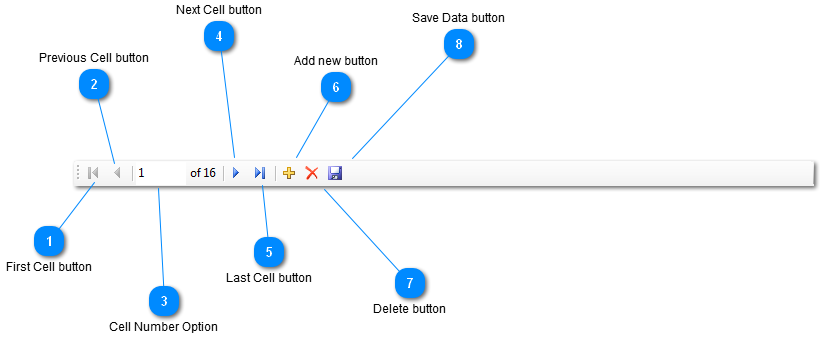
 First Cell button
Click  and you will go back to the first cell. and you will go back to the first cell.
| |
 Previous Cell button
Click  and you will go to the previous cell. and you will go to the previous cell.
| |
 Cell Number Option
Type the cell number you would like to go to and push enter.
| |
 Next Cell button
Click  and you will go to the next cell. and you will go to the next cell.
| |
 Last Cell button
Click  and it will take you to the last cell. and it will take you to the last cell.
| |
 Add new button
By clicking the Add new button a window will appear where you can add and edit one line to the time clock report.
| |
 Delete button
Highlighting a line and clicking delete will erase the line on the time clock report.
| |
 Save Data button
Clicking the save button allows you to save all the editing you have done to the time clock report.
| |
|
|