|
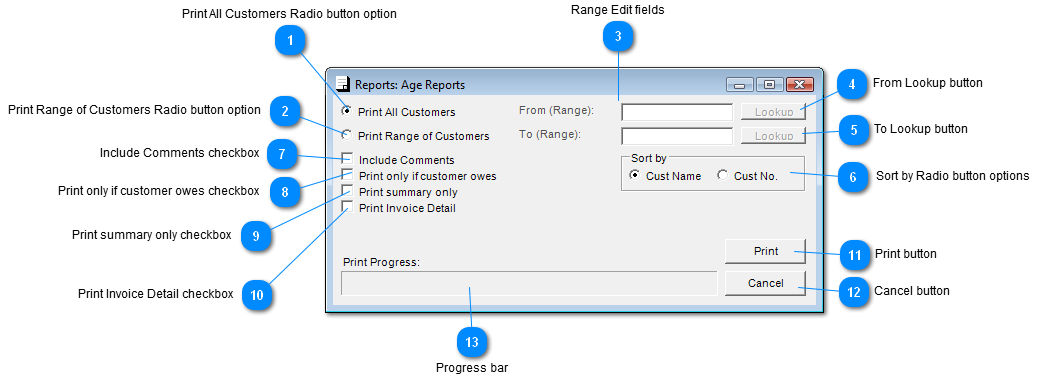
 Print All Customers Radio button option
Click "Print All Customers" radio button option to create a report with all customers.
| |
 Print Range of Customers Radio button option
Click "Print Range of Customers" radio button option to create a report with all customers.
Clicking this radio button will activate the "Lookup" buttons.
| |
 Range Edit fields
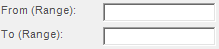
Enter beginning Customer Name or Customer Number depending on selection made in the "Sort by Radio button options" in the "From(Range)" field.
Enter ending Customer Name or Customer Number depending on selection made in the "Sort by Radio button options" in the "To(Range)" field.
| |
 From Lookup button
Lookup button is activated when clicking on the "Print Range of Customers".
Click "Lookup" to begin search on "From" record
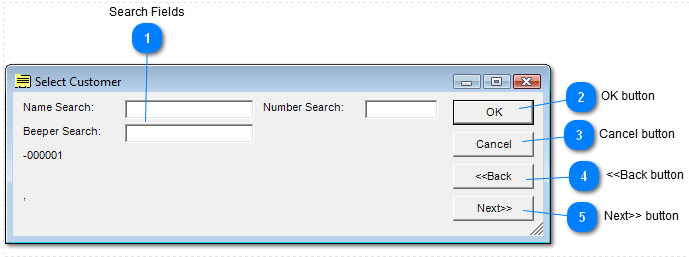
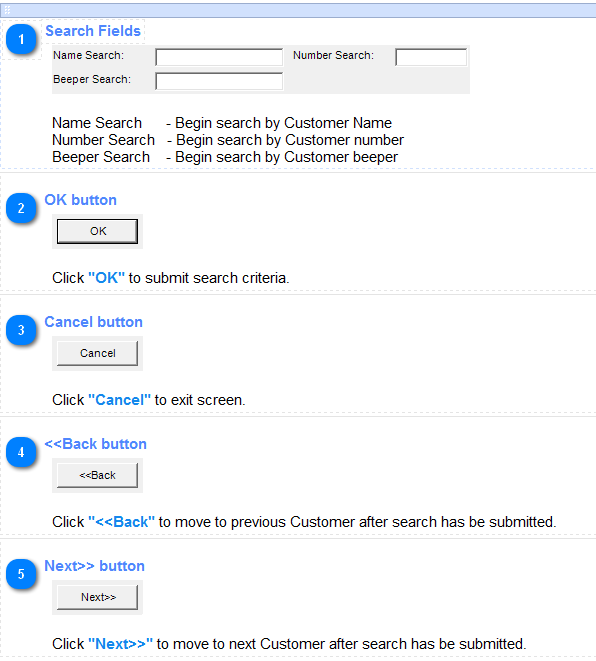
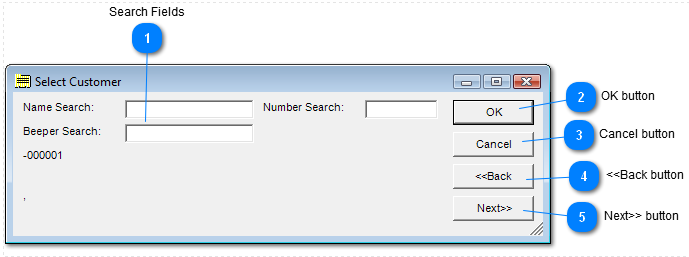
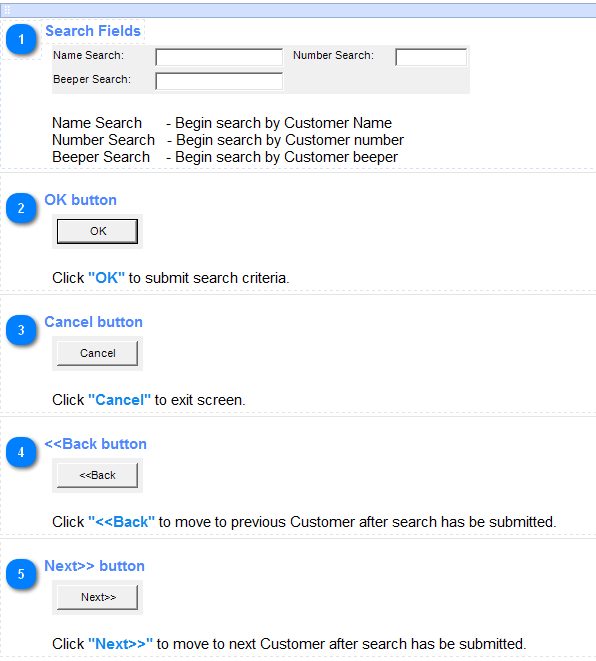
Next screen after clicking the "Lookup" button.
| |
 To Lookup button
Lookup button is activated when clicking on the "Print Range of Customers".
Click "Lookup" to begin search on "To" record
Next screen after clicking the "Lookup" button.
| |
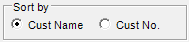
 Sort by Radio button options
Click "Cust Name" to sort report by Customer Name.
Click "Cust No." to sort report by Customer Number.
| |
 Include Comments checkbox
Check "Include Comments" checkbox will include the Remarks / Comments in report.
| |
 Print only if customer owes checkbox
Check "Print only if Customer owes" checkbox
| |
 Print summary only checkbox
Check "Print summary only" checkbox if a summarized invoice report is to print.
| |
 Print Invoice Detail checkbox
Check "Print Invoice Detail" checkbox if a detailed invoice report is to print.
| |
 Print button
Click "Print" button to print report by selected criteria.
| |
 Cancel button
Click "Cancel" button to exit screen.
| |
 Progress bar
Indicates the progression of the print task by gradually filling the empty space with solid segments until task is completed.
| |
|
|