|
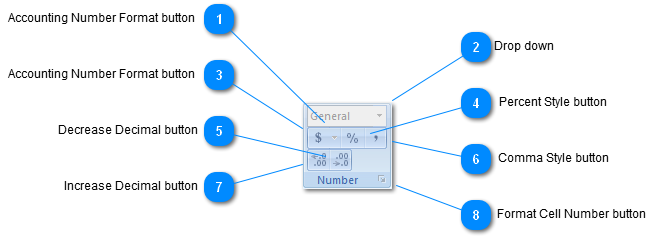
 Accounting Number Format button
| |
 Drop down
Choose how the values in a cell are displayed: as a percentage, as currency, as a date or time, etc.
Press F1 for more help.
| |
 Accounting Number Format button
Choose an alternate currency format for the selected cell.
For instance, choose Euros instead of Dollars.
| |
 Percent Style button
Display the value of the cell as a percentage.
| |
 Decrease Decimal button
Show less precise values by showing fewer decimal places.
| |
 Comma Style button
Display the value of the cell with a thousands separator.
This will change the format of the cell to Accounting without a currency symbol.
| |
 Increase Decimal button
Show more precise values by showing more decimal places.
| |
 Format Cell Number button
Show the Number tab of the Format Cells dialog box.
| |
|
|