|
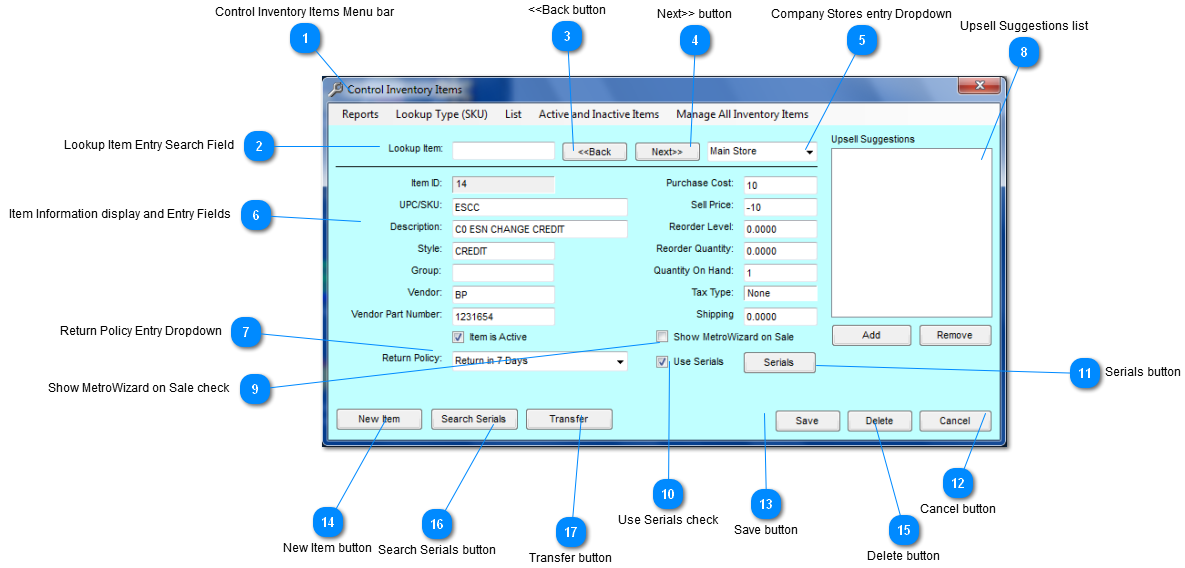
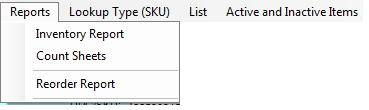
 Control Inventory Items Menu bar
|
Inventory Report
|
Create report for store inventory items.
|
|
Count Sheets
|
Create report for count of each inventory item
|
|
Reorder Report
|
Create report for inventory items that need to be reordered.
|
|
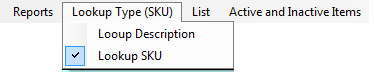
Lookup Description
|
Select if search is to be by Description
|
|
Lookup SKU
|
Select if search is to be by SKU
|
|
Active Items Only
|
Select to display only active inventory items.
|
|
Active and Inactive Items
|
Select to display all inventory items
|
| |
 Lookup Item Entry Search Field
Depending on which item is selected in the "Lookup Type (SKU)" is the criteria to be used for the Lookup item.
Example: If Description is selected then enter description of Lookup Item Search Field.
If SKU is selected then enter the SKU in the Lookup Item Search Field.
| |
 <<Back button
Click "<<Back" button to go to previous item.
| |
 Next>> button
Click "Next>>" button to go forward to next item.
| |
 Company Stores entry Dropdown
Click on the arrow to receive a dropdown of all Company stores.
| |
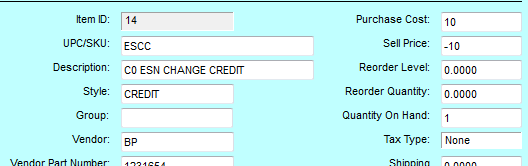
 Item Information display and Entry Fields
|
Item ID
|
Inventory item identification
|
|
UPC/SKU
|
Inventory item UPC/SKU
|
|
Description
|
Inventory description
|
|
Style
|
Inventory style
|
|
Vendor
|
Inventory vendor
|
|
Vendor Part Number
|
Inventory's vendor part number
|
|
Purchase Cost
|
Purchase price
|
|
Sell Price
|
Price to be sold
|
|
Reorder Level
|
Reorder threshold
|
|
Reorder Quantity
|
Reorder number amount
|
|
Quantity on Hand
|
Number amount current in-house
|
|
Tax Type
|
Tax type of inventory item
|
|
Shipping
|
Number amount of Inventory item being sent out
|
|
Items is Active Checkbox
|
If box is check means item is still being sold.
|
| |
 Return Policy Entry Dropdown
Dropdown Selections
|
No Return
|
Inventory Item cannot be returned
|
|
Return in 30 Days
|
Inventory item can be returned in 30 days
|
|
Return in 14 Days
|
Inventory item can be return in 14 days
|
|
Return in 365 Days
|
Inventory item can be return in 365days
|
|
Return in 17 Days
|
Inventory item can be return in 17 days
|
| |
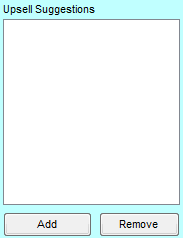
 Upsell Suggestions list
Upsell Suggestion are inventory items that can be sold with another inventory item.
The Upsell suggestion that is view on the sale screen is created here.
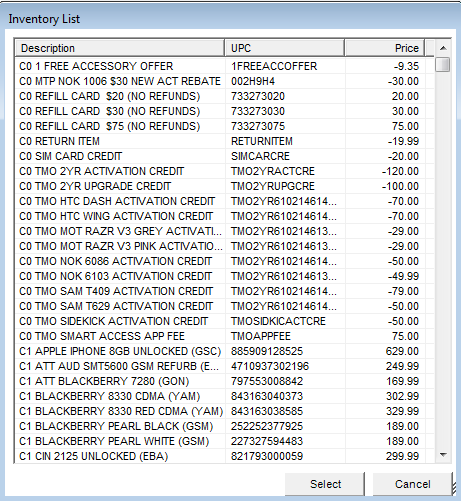
Click "Add" button to add inventory items.
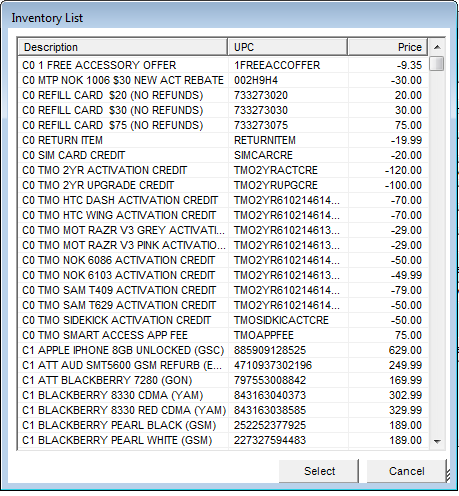
Following list will appear;
Select an item then Click the "Select" button.
Click "Cancel" to exit screen.
Click "Remove" button to delete and item from the UpSell Suggestion List.
| |
 Show MetroWizard on Sale check
Check "Show MetroWizard on Sale" checkbox to verify if MetroWizard has item on sale.
| |
 Use Serials check
Check "Use Serials" checkbox to use inventory item serial number.
| |
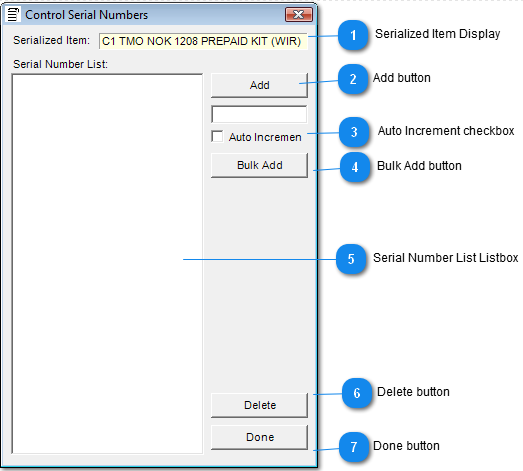
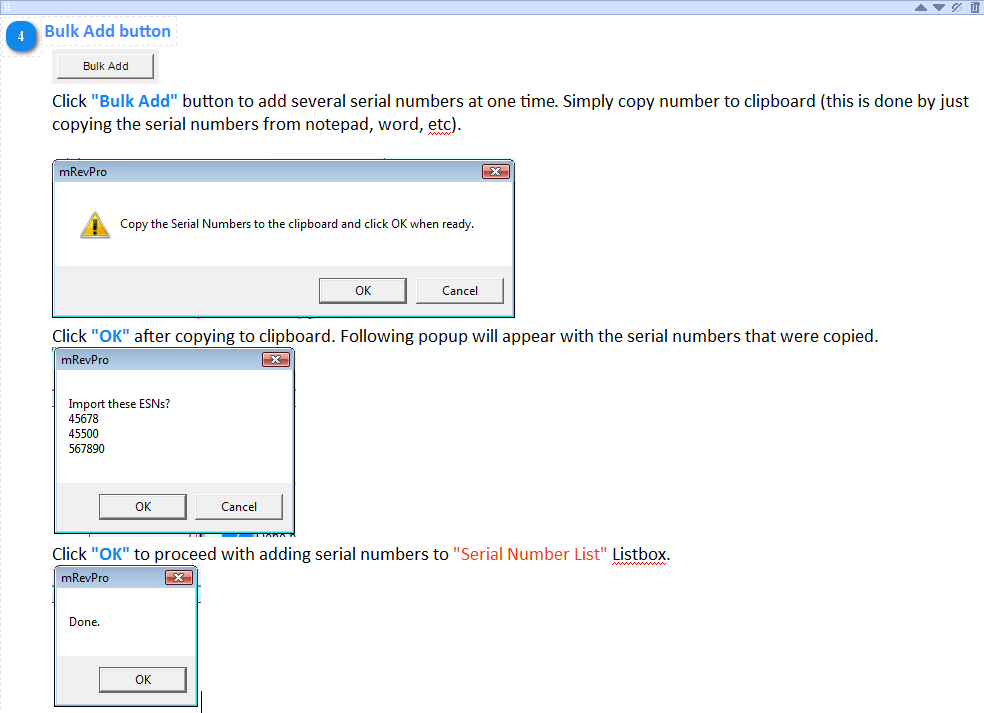
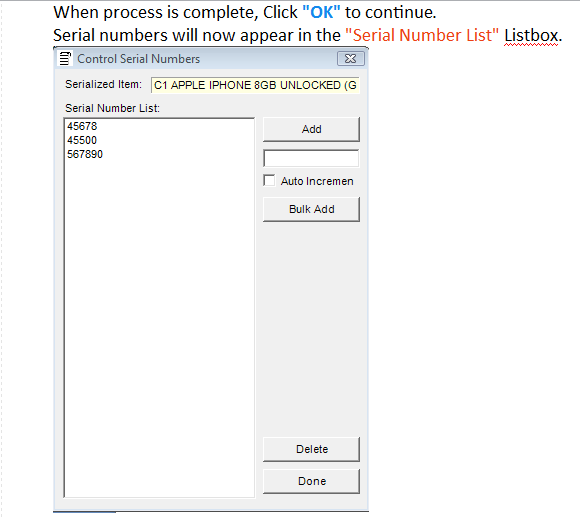
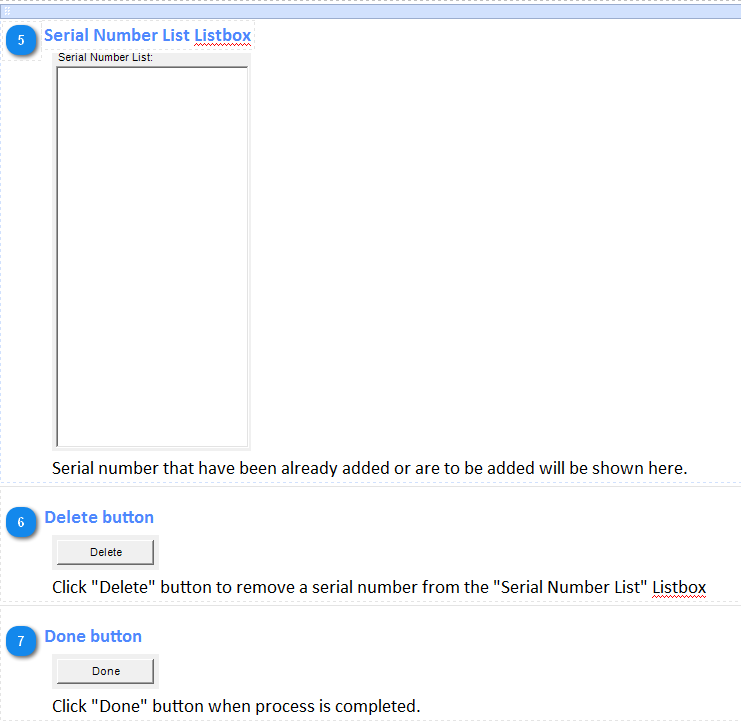
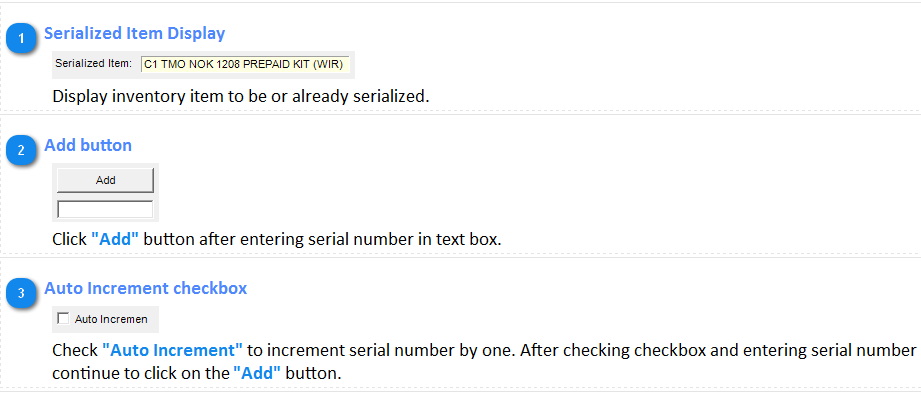
 Serials button
Click "Serials" button to inventory item serial number(s).
Follow Screens appears after button is clicked;
 \
| |
 Cancel button
Click "Cancel" to exit screen.
| |
 Save button
Click "Save" button to save inventory item to database.
| |
 New Item button
Click "New Item" button is add new inventory item to database.
| |
 Delete button
Click "Delete" button to remove item from database.
| |
 Search Serials button
Click "Search Serials" button to search inventory item by serial number.
| |
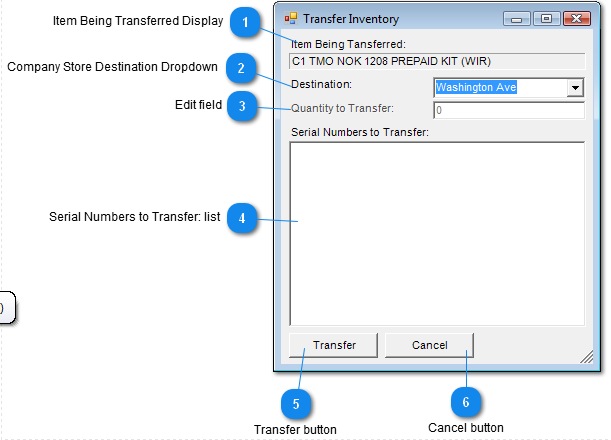
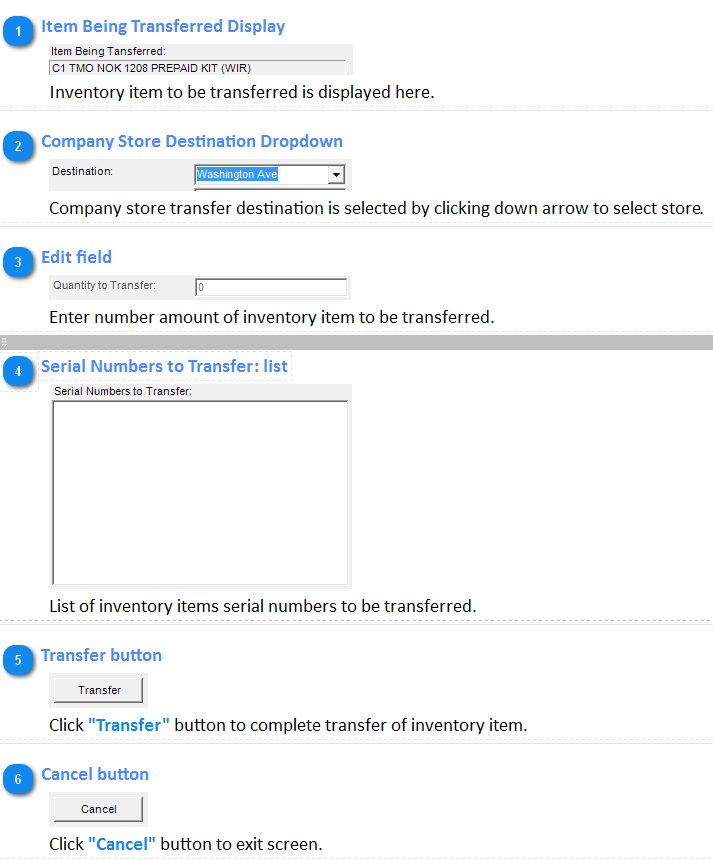
 Transfer button
Click "Transfer" to begin transfer process.
| |
|
|