|
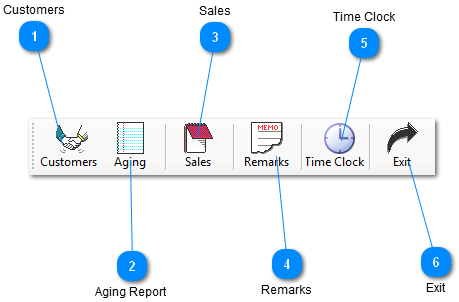
 Customers
Customer - Add a new customer or update a current customer to database.
| |
 Aging Report
 - Create an aging report with Invoice, Invoice date, Check No., Invoice Amount, Payment, Due, Are, by enter either Name, Number or by Beeper Search.
| |
 Sales
New Sale - Ability to insert new customer or query a customer by Lookup name, Lookup number or Lookup Wireless. Enter a Cash or Credit Card Sale, add Comments, Receivable Payments, Advance Payments, an interface to the Metro Wizard to Activate Account, Reactivation, ESN change and Activate Houdini. Suggested Up-sells allows your employees to add accessories to sale from database inventory. Ability to select a printer and number of copies.
| |
 Remarks
 - Create comments or remarks for a particular customer.
| |
 Time Clock
- The time clock gives the employee the ability to punch in or punch out, according to your previous status, and it will also keep a record for you in the time clock report.
| |
 Exit
Exit - Click this button to Exit screen.
| |
|
|